
Know what matters next
Splitt brings together the business information you've recorded and helps identify where your attention is needed.
Split your work. Not your profits.
Splitt brings your priorities, projects, metrics, and next steps together so you can focus on what matters and keep moving.
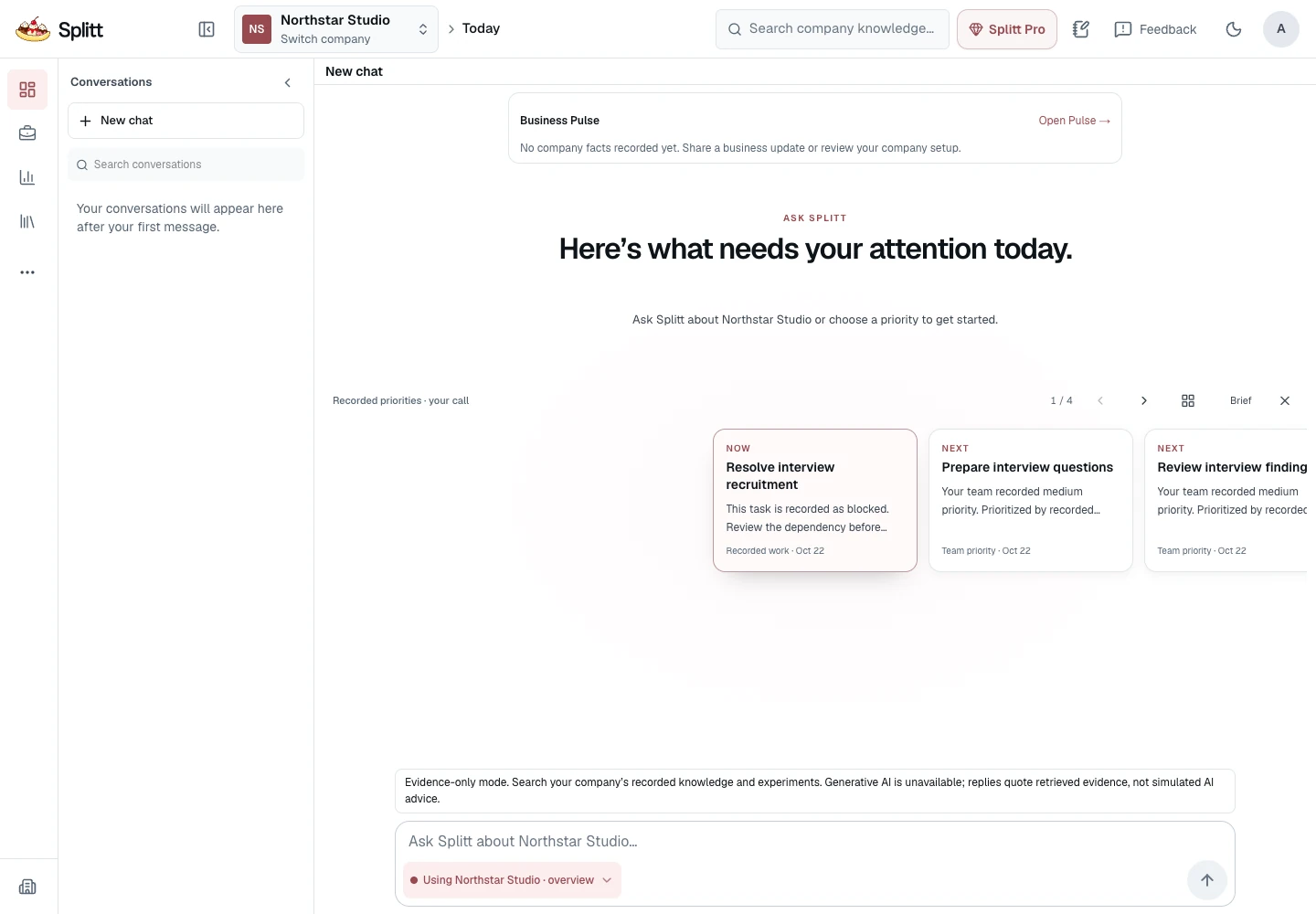
Splitt brings together the business information you've recorded and helps identify where your attention is needed.
Splitt uses available company context to suggest what to work on, explain why it matters, and prepare next steps for your review.
Organize projects, goals, tasks, and metrics so your decisions translate into visible work.
From your first idea to your next milestone, keep the important work in one place.
Talk through decisions with an assistant that can use your company's available context.
Turn your next step into a project, organize the work, and see what's moving.
Track the numbers that matter to your business and see how they change.
Keep important company information and supporting sources close to your work.
See your business information together, from progress and priorities to recorded financial activity.
BuildingLet Splitt prepare changes, then review, edit, or confirm what gets saved.
Illustrative examples. Assistance and document processing depend on what’s enabled in your workspace. Suggestions use available context; you choose what gets saved.
A goal. A project. A number you know.
Bring a question to your company workspace.
Confirm, edit or cancel a proposed change.
Record progress and what you learn.
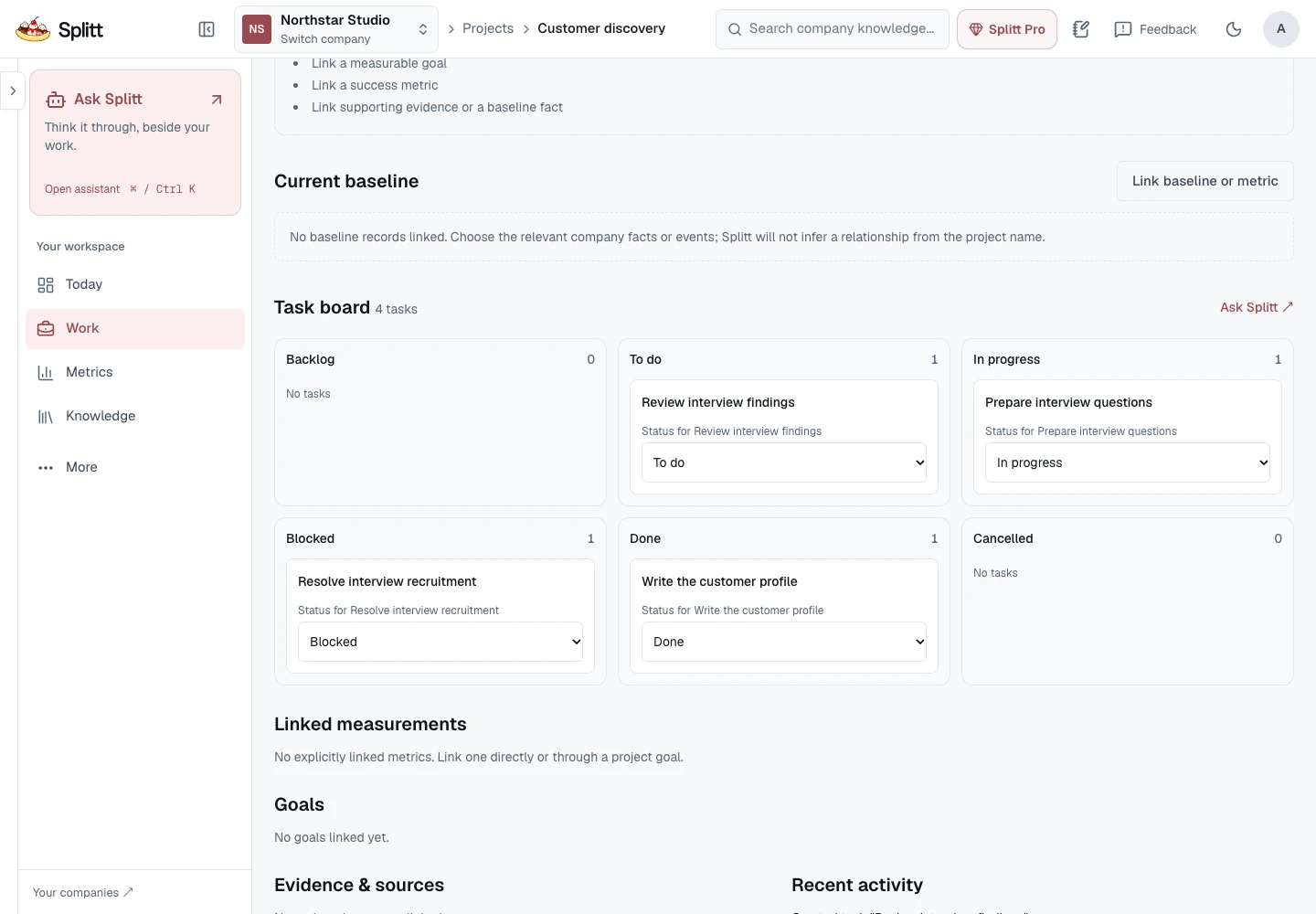
A closer look at the real project board, using a fictional customer-discovery project.
Whether you’re starting with an idea or managing a growing business, Splitt helps turn scattered work into a clearer plan.
Go from an idea to a plan you can actually work on.
Keep your business moving while balancing classes, deadlines, and everything else.
Stay aligned on priorities, responsibilities, and what comes next.
Company workspaces, projects, tasks, goals and manually recorded metrics. Optional assistance and document processing are available only where enabled.
Business Memory, Business Pulse, financial views and visual project execution are implemented and undergoing release preparation.
Connected tools, automatic data refresh, scheduled briefings and richer team workflows. These are possibilities, not delivery commitments.
No. Start with one goal, one task or a number you already track. Unknown information can stay unknown.
Yes. Manual projects, tasks, goals and metric readings do not require a provider. Assisted answers and reviewed actions require availability and remaining usage in your workspace.
Assisted actions are proposals. You review changes before confirming a save. Manual forms still save when you submit them.
Access depends on your company permissions. Selected context may be sent to an enabled provider when you request assistance. Our Privacy Policy and Terms are awaiting publication; the linked pages are clearly marked.
Do not assume an integration is connected. The current workspace works with information you record; future connections are on the roadmap.
Splitt is in active development. Expect changes and unfinished edges. Use Feedback inside your company workspace to report a problem.